
1-Local/Remote Shared Access Single Port VGA KVM over IP Switch
RCM101A
Single-port VGA KVM over IP switch shared between a local console and remote operators, with a laptop USB console port and RS-232 and PON connections.
Features
- Supports Access Control Box which allows users to enable/disable remote control privilege
- Supports Panel Array to monitor all machines for operators with multiple RCM products
- Supports exclusive integrated RCM API (DLL) interface with various function for system integrators
- Supports OCR API (DLL) interface for optical character recognition
- Provides over-IP capability to KVM switches that do not have built-in over-IP functionality*
- Supports PS/2, USB, Sun Legacy (13W3) and serial (RS-232) connectivity
- Local console provides PS/2 and USB keyboard/mouse support**
- Supports multiplatform server environments: Windows, Mac, Sun, Linux and VT100 based serial devices
- Virtual Media Support
- High video resolution – up to 1920 x 1200 @ 60Hz- 24 bit color depth for the local console; up to 1920 x 1200 @ 60 Hz with 24 bit color depth for remote sessions
- Enhanced fps (frames per second) throughput for crisp responsive video display * Cascade-compatible KVM Switches include the following: CS1308, CS1316, CS1754*, CS1758*, CS1708A, CS1716A • Some of the RCM101A's features may not be supported, depending on the functionality of the cascaded KVM switch. (For example, some switches do not support virtual media.) • Some features found on the cascaded KVM switches may not be supported on the RCM101A. (For example, the CS1754’s audio.) **Since there are a large number of keyboards/mouses with functions specifically designed for OS other than Windows, they may not be adapted and may have compatibility issue.
- Laptop USB Console (LUC) – a dedicated USB port directly connects to laptop for easy console operation
- Easy configuration through local console OSD
- Up to 64 user accounts – up to 32 users can simultaneously share control
- End session feature – administrators can terminate running sessions
- Event logging and Windows-based Log Server support
- Critical system events sent by email and SNMP trap; Syslog support
- Remote firmware upgradable
- Port Share Mode allows multiple users to gain access to a server simultaneously
- Local/Remote Share Mode conveniently grants shared or exclusive console privilege
- DDNS (Dynamic Domain Name System)
- Exports/imports user account and configuration settings
- Browser Access Permission – extra security feature to allow/disallow browser/http/https access
- IPv6 capable
- Browser-based and AP GUIs offer a unified multilanguage interface to minimize user training time and increase productivity
- Multiplatform client support (Windows, Mac OS X, Linux, Sun)
- Multibrowser support (IE, Chrome, Firefox, Safari, Opera, Netscape)
- Browser-based UI in pure Web technology allows administrators to perform administrative tasks without pre-installed Java software package requirements
- Full-screen or sizable and scalable Virtual Remote Desktop
- Magic Panel
- Smart Card/CAC Reader Support
- External authentication support: RADIUS, LDAP, LDAPS and MS Active Directory
- TLS 1.2 encryption to protect password when users log in
- Flexible design allows users to choose any combination of encryption algorithms (e.g. 256-bit AES) or system-generated random selection for independent keyboard/mouse, video, and virtual media data encryption
- Supports IP/MAC Filter
- Supports password protection
- Private CA
- Virtual media enables file applications, OS patching, software installation and diagnostic testing
- Works with USB-enabled servers at OS and BIOS level
- Supports USB 2.0 DVD/CD drives, USB mass storage devices, PC hard drives and ISO images
- Convenient to use without virtual media cable
- Video quality and video tolerance can be adjusted to optimize data transfer speed; monochrome color depth, threshold and noise settings for compression of the data bandwidth in low bandwidth situations
- Full screen video display or scalable video display
- Message Board for communication among remote users
- On-screen keyboard with multilanguage support
- Mouse DynaSync™ – automatically synchronizes the local and remote mouse movements
- Supports Exit Macros
- BIOS-level access
Connectors
- Console Ports
- 1 x SPHD-18 Male (Yellow)
- KVM (Computer) Ports
- 1 x SPHD-18 Female (Yellow)
- Laptop USB Console (LUC) Port
- 1 x USB Mini-B Female
- PON
- 1 x DB-9 Male
- RS-232
- 1 x DB-9 Male
- LAN Ports
- 1 x RJ-45 Female
- Power
- 1 x DC Jack
Switches
- Reset
- 1 x Semi-recessed Pushbutton
LEDs
- Power
- 1 (Orange)
- Link
- 1 (Green)
- 10/100/1000 Mbps
- 1 (Orange / Orange+Green /Green)
Emulation
- Keyboard / Mouse
- USB; PS/2
- Video
- Up to 1920 x 1200 @ 60 Hz; DDC2B
- Power Consumption
- DC5.3V:4.79W:31BTU/h Note: ● The measurement in Watts indicates the typical power consumption of the device with no external loading. ● The measurement in BTU/h indicates the power consumption of the device when it is fully loaded.
Environmental
- Operating Temperature
- 0 - 50°C (RCM101A) 0 - 40°C (Power Adapter)
- Storage Temperature
- -20 - 60°C
- Humidity
- 0 - 80% RH, Non-condensing
Physical Properties
- Housing
- Metal
- Weight
- 0.49 kg ( 1.08 lb )
- Dimensions (L x W x H)
- 20.00 x 8.14 x 2.50 cm (7.87 x 3.2 x 0.98 in.)
- Note
- For some of rack mount products, please note that the standard physical dimensions of WxDxH are expressed using a LxWxH format.
Firmware
Similar products
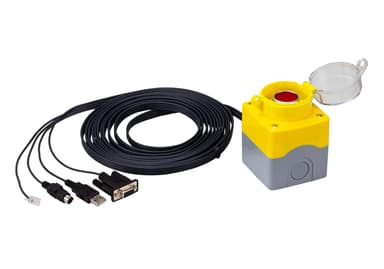
2XRT-0015G
KVM over IP Access Control Box
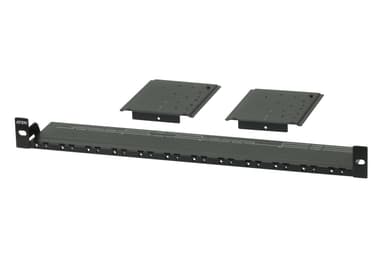
VE-RMK1U
Video Extender Rack Mount Kit
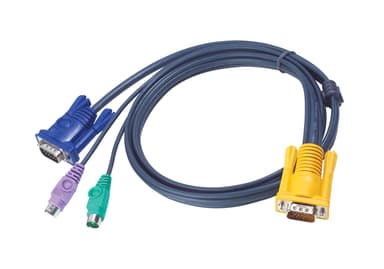
2L-5201P
1.2M PS/2 KVM Cable with 3 in 1 SPHD
2L-5202P
1.8M PS/2 KVM Cable with 3 in 1 SPHD
2L-5203P
3M PS/2 KVM Cable with 3 in 1 SPHD
2L-5206P
6M PS/2 KVM Cable with 3 in 1 SPHD
2L-5210P
10M PS/2 KVM Cable with 3 in 1 SPHD
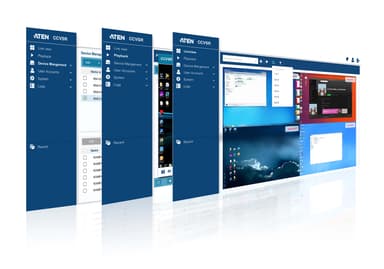
CCVSR
Video Session Recording Software
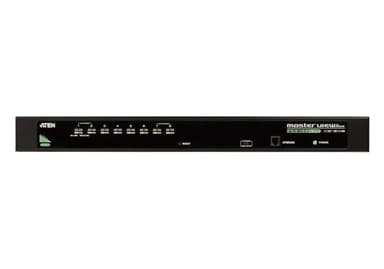
CS1308
8-Port PS/2-USB VGA KVM Switch
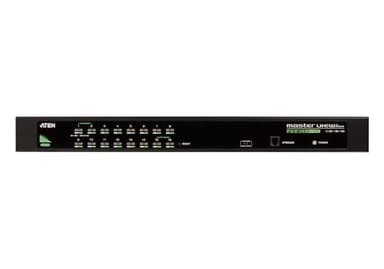
CS1316
16-Port PS/2-USB VGA KVM Switch
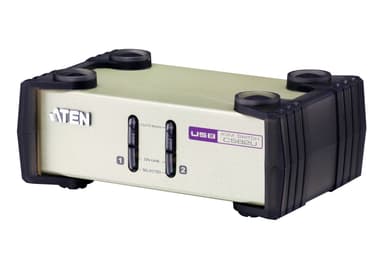
CS82U
2-Port PS/2-USB VGA KVM Switch
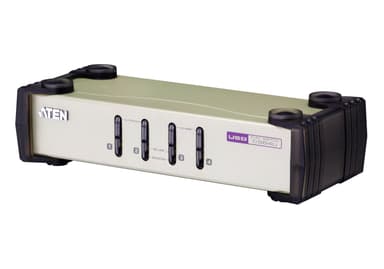
CS84U