
1-Local/Remote Shared Access 16-Port Multi-Interface Cat 5 Dual Rail LCD KVM over IP switch
KL1516AI
The KL1516Ai Dual Rail LCD KVM Switch is a control unit that allows secure access up to 16 computers from a single KVM (keyboard, video, and mouse) console. It consists
Features
- Exclusive LED illumination light – designed by ATEN to illuminate the keyboard and touchpad to allow visibility in low-light conditions
- Integrated KVM console with 17¨ or 19¨ LED-backlit LCD monitor in a Dual Rail housing
- A single console controls up to 16 computers
- Daisy chain up to 15 additional KVM switches to control up to 256 computers1
- One bus for remote KVM over IP access
- Space-saving RJ-45 connectors and Cat 5e/6 cabling
- KVM adapters designed with automatic conversion to allow flexible interface combinations (PS/2, USB, Sun and serial) to control all computer types
- Extra console por – manage computers in the LCD KVM switch from an external console (monitor, USB or PS/2 keyboard, and USB or PS/2 mouse)
- Multiplatform support: PC, Mac, Sun and Serial
- Supports external USB mouse
- Dual Rail housing is slightly less than 1U with top and bottom clearance for smooth operation in 1U of rack space
- Dual Rail – LCD monitor slides independently of the keyboard/touchpad
- LCD module rotates up to 120 degrees for a more comfortable viewing angle
- Console lock – enables the console drawer to remain securely locked away in position when not in use
- LCD power button helps save energy and prolong displays´ life
- Superior Video Quality – supports input video resolutions up to 1920 x 1200 @ 60Hz2 up to 30 meters, 1600 x 1200 @ 60Hz up to 40 meters, and 1280 x 1024 @ 75Hz up to 50 meters
- Optional rack mount kits available including easy installation options Note: 1. Compatible KVM switches: KH1508A / KH1516A, ACS1208A, CS1708A / CS1716A 2. With KVM Adapter KA71xx or KA75xx series; please check the product label to ensure it's the FHD version Management
- Up to 64 user accounts
- Up to 32 concurrent logins
- End session feature – administrators can terminate any running session
- Adapter ID – stores port information allowing administrators to relocate servers to different ports, without having to reconfigure the adapters and switch
- Port Share Mode allows multiple users to gain access to a server simultaneously
- Remote power control for attached Power Over the NET™ devices
- Integration with ATEN CC2000 Management software
- Event logging and Windows-based Log Server support
- Local Log Event
- Firmware upgradeable
- IPv6 capable Easy-to-Use Interface
- Easy computer selection via pushbuttons, Hotkey Mode, OSD (OnScreen Display), and Browser-based GUI
- Local Console, Browser, and AP GUIs offer a unified multi language interface to minimize user training time and increase productivity
- Multiplatform client support (Windows, Mac OS X, Linux, Sun)
- Multi-browser support: Internet Explorer, Chrome, Firefox, Safari, Opera, Edge
- Browser-based UI in pure Web technology allows administrators to perform administrative tasks without the need for Java to be pre-installed
- Panel Array Mode™
- Keyboard broadcast* – keyboard input can be duplicated on all the attached servers Note: Local Console only Advanced Security
- Remote authentication support: RADIUS, LDAP, LDAPS, and MS Active Directory
- Supports TLS 1.2 encryption and RSA 2048-bit certificates to secure users log in from browser
- Flexible encryption design allows users to choose any combination of DES, 3DES, AES, RC4, or Random for independent Keyboard/Mouse and video data encryption
- IP/MAC Filter support for enhanced security protection
- Configurable user and group permissions for server access and control Virtual Remote Desktop
- Video quality and video tolerance can be adjusted to optimize data transfer speed; monochrome color depth setting, threshold and noise settings for compression of the data bandwidth in low bandwidth situations
- Full-screen or sizable and scalable Virtual Remote Desktop
- Message board feature allows logged in users to communicate with each other
- Mouse DynaSync™ – automatically synchronizes the local and remote mouse movements
- On-screen keyboard with multi language support
- BIOS-level access
- Keyboard Language support: English(US); English(UK); French, German, German(Swiss), Greek, Hungarian, Italian, Japanese, Korean, Russian, Spanish, Swedish, Traditional Chinese and Turkish More information about "Easy Rack Mounting"...
Console Connections
- Local
- 1 (Share Remote Bus)
- Local
- 1 (Share Remote Bus)
- Remote
- 1
- Remote
- 1
Computer Connections
- Direct
- 16
- Direct
- 16
- Maximum
- 256 (via Daisy-chain)
- Maximum
- 256 (via Daisy-chain)
- Port Selection
- OSD, Hotkey, Pushbuttons
- Port Selection
- OSD, Hotkey, Pushbuttons
Connectors
- Console Ports
- 2 x USB Type-A Female (White) 1 x 6-pin Mini-DIN Female (Purple) 1 x 6-pin Mini-DIN Female (Green) 1 x HDB-15 Female (Blue)
- Console Ports
- 2 x USB Type-A Female (White) 1 x 6-pin Mini-DIN Female (Purple) 1 x 6-pin Mini-DIN Female (Green) 1 x HDB-15 Female (Blue)
- External Mouse Port
- 1 x USB Type-A Female
- External Mouse Port
- 1 x USB Type-A Female
- KVM Ports
- 16 x RJ-45 Female
- KVM Ports
- 16 x RJ-45 Female
- Daisy Chain Ports
- 1 x DB-25 Male
- Daisy Chain Ports
- 1 x DB-25 Male
- PON
- 1 x RJ-45 Female
- PON
- 1 x RJ-45 Female
- Firmware Upgrade
- 1 x RJ-11 Female
- Firmware Upgrade
- 1 x RJ-11 Female
- LAN Ports
- 1 x RJ-45 Female
- LAN Ports
- 1 x RJ-45 Female
- Power
- 1 x IEC 60320/C14
- Power
- 1 x IEC 60320/C14
Switches
- Port Selection
- 16 x Pushbutton
- Port Selection
- 16 x Pushbutton
- Station Selection
- 2 x Pushbutton
- Station Selection
- 2 x Pushbutton
- Reset
- 1 x Semi-recessed Pushbutton
- Reset
- 1 x Semi-recessed Pushbutton
- Firmware Upgrade
- 1 x Slide
- Firmware Upgrade
- 1 x Slide
- Power
- 1 x Rocker
- Power
- 1 x Rocker
- LCD Power
- 1 x Pushbutton
- LCD Power
- 1 x Pushbutton
- LCD Adjustment
- 4 x Pushbutton
- LCD Adjustment
- 4 x Pushbutton
LEDs
- Online
- 16 (Green)
- Online
- 16 (Green)
- Selected
- 16 (Orange)
- Selected
- 16 (Orange)
- Station Selection
- 2 x 7 Segments (Orange)
- Station Selection
- 2 x 7 Segments (Orange)
- Link
- 1 (Green)
- Link
- 1 (Green)
- 10/100/1000 Mbps
- non-FHD:10/100 Mbps (Orange / Green) FHD:100/1000 Mbps (Orange / Green)
- 10/100/1000 Mbps
- non-FHD:10/100 Mbps (Orange / Green) FHD:100/1000 Mbps (Orange / Green)
- Power
- 1 (Blue)
- Power
- 1 (Blue)
- LCD Power
- 1 (Orange)
- LCD Power
- 1 (Orange)
- Lock
- 1 x Num Lock (Green) 1 x Caps Lock (Green) 1 x Scroll Lock (Green)
- Lock
- 1 x Num Lock (Green) 1 x Caps Lock (Green) 1 x Scroll Lock (Green)
Video
- Local
- 1600 x 1200 @ 60Hz (non-FHD version) 1920 x 1200 @ 60Hz (FHD version)
- Local
- 1600 x 1200 @ 60Hz (non-FHD version) 1920 x 1200 @ 60Hz (FHD version)
- Remote
- FHD: 1920 x 1200 @ 60Hz Non-FHD: 1600 x 1200 @ 60 Hz
- Remote
- FHD: 1920 x 1200 @ 60Hz Non-FHD: 1600 x 1200 @ 60 Hz
Panel Spec
- LCD Module
- 17" TFT-LCD
- LCD Module
- 19" TFT-LCD
- Resolution
- 1280 x 1024 @ 75Hz
- Resolution
- 1280 x 1024 @ 75Hz
- Pixel Pitch
- 0.264 mm x 0.264 mm
- Pixel Pitch
- 0.294 mm x 0.294 mm
- Response time
- 5 ms
- Response time
- 5 ms
- Viewing Angle
- 170° (H), 160° (V)
- Viewing Angle
- 170° (H), 160° (V)
- Support Color
- 16.7M colors
- Support Color
- 16.7M colors
- Contrast Ratio
- 1000:1
- Contrast Ratio
- 1000:1
- Luminance
- 250 cd/m²
- Luminance
- 250 cd/m²
Emulation
- Keyboard / Mouse
- PS/2; USB
- Keyboard / Mouse
- PS/2; USB
- Scan Interval
- 1–255 sec.
- Scan Interval
- 1–255 sec.
- Maximum Input Power Rating
- 100–240V AC, 50-60Hz, 1A
- Maximum Input Power Rating
- 100–240V AC, 50-60Hz, 1A
- Power Consumption
- AC110V:21.2W:110BTU/h AC220V:23.1W:119BTU/h Note: ● The measurement in Watts indicates the typical power consumption of the device with no external loading. ● The measurement in BTU/h indicates the power consumption of the device when it is fully loaded.
- Power Consumption
- AC110V:24.4W:125BTU/h AC220V:25.4W:130BTU/h Note: ● The measurement in Watts indicates the typical power consumption of the device with no external loading. ● The measurement in BTU/h indicates the power consumption of the device when it is fully loaded.
Environmental
- Operating Temperature
- 0 - 40°C
- Operating Temperature
- 0 - 40°C
- Storage Temperature
- -20 - 60°C
- Storage Temperature
- -20 - 60°C
- Humidity
- 0–80% RH, Non-condensing
- Humidity
- 0–80% RH, Non-condensing
Physical Properties
- Housing
- Metal
- Housing
- Metal
- Weight
- 15.24 kg ( 33.57 lb )
- Weight
- 15.40 kg ( 33.92 lb )
- Dimensions (L x W x H)
- 48.00 x 70.12 x 4.40 cm (18.9 x 27.61 x 1.73 in.)
- Dimensions (L x W x H)
- 48.00 x 70.12 x 4.40 cm (18.9 x 27.61 x 1.73 in.)
- Note
- For some of rack mount products, please note that the standard physical dimensions of WxDxH are expressed using a LxWxH format.
Firmware
- kl1508ai_1516ai_icard_v1.6.155.zip →
- kl1508ai-1516ai-fhdicard-v2.3.225.zip →
- kl1508ai-1516ai-fhdicard-v2.3.223.zip →
- kl1508ai-1516ai-fhdicard-v2.3.222.zip →
- kl1508ai-1516ai-fhdicard-v2.3.221.zip →
- kl1508ai-1516ai-fhdicard-v2.2.219.zip →
- kl1508ai_1516ai_fhdicard_v2.2.218.zip →
- Kl1508ai-1516ai-remote-main-dongle-v1.7.163.zip →
- Kl1508ai-1516ai-local-main-dongle-v1.7.163.zip →
- Kl1508ai-1516ai-remote-main-dongle-v1.7.161.zip →
- Kl1508ai-1516ai-local-main-dongle-v1.7.161.zip →
- Kl1508ai-1516ai-local-main-dongle-v1.6.159.zip →
- Kl1508ai-1516ai-remote-main-dongle-v1.6.159.zip →
- kl1508ai-1516ai-remote-main-dongle-v1.6.158.zip →
- kl1508ai-1516ai-local-main-dongle-v1.6.158.zip →
- kl1508ai_1516ai_local_main_dongle_v1.6.156.zip →
- kl1508ai_1516ai_remote_main_dongle_v1.6.156.zip →
Similar products
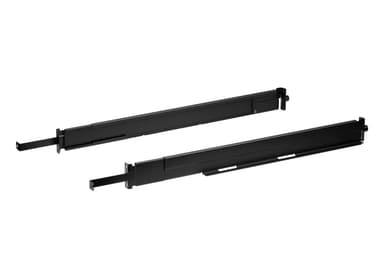
2K-0005
Easy Installation Rack Mount Kit (Short) for LCD KVM Switch/Console
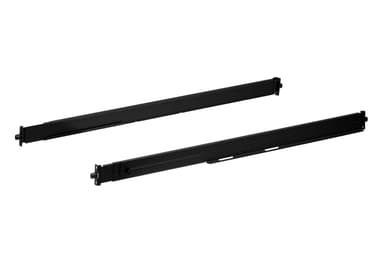
2K-0006
Easy Installation Rack Mount Kit (Long) for LCD KVM Switch/Console
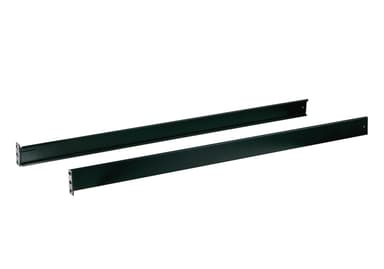
2X-010G
Standard Installation Rack Mount Kit (Long) for LCD KVM Switch/Console
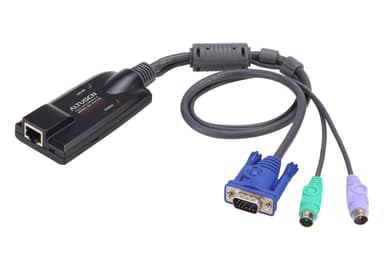
KA7120
PS/2 VGA KVM Adapter with Composite Video Support
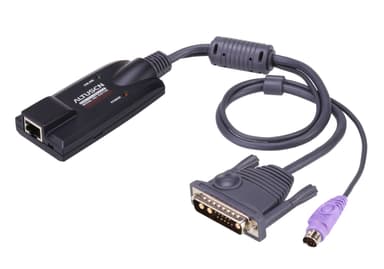
KA7130
SUN Legacy KVM Adapter
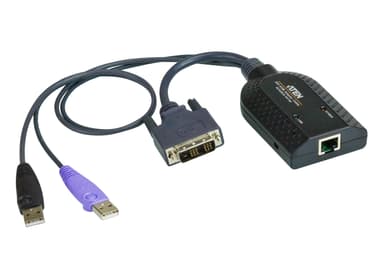
KA7166
USB DVI Virtual Media KVM Adapter with Smart Card Support
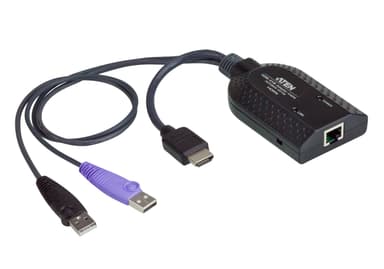
KA7168
USB HDMI Virtual Media KVM Adapter with Smart Card Support
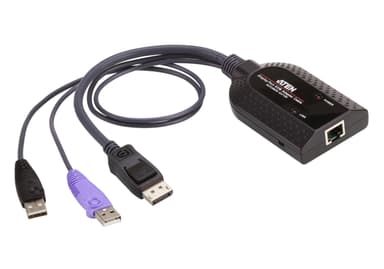
KA7169
USB DisplayPort Virtual Media KVM Adapter with Smart Card Support
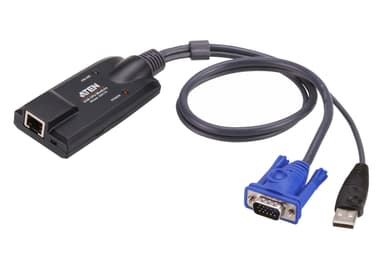
KA7170
USB VGA KVM Adapter with Composite Video Support
KA7183
USB-C Virtual Media KVM Adapter
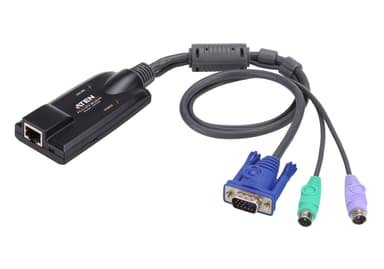
KA7520
PS/2 VGA KVM Adapter
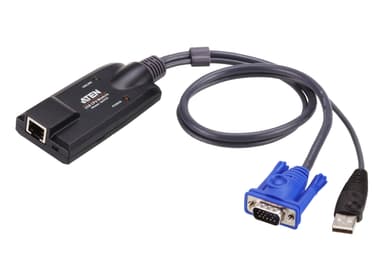
KA7570